

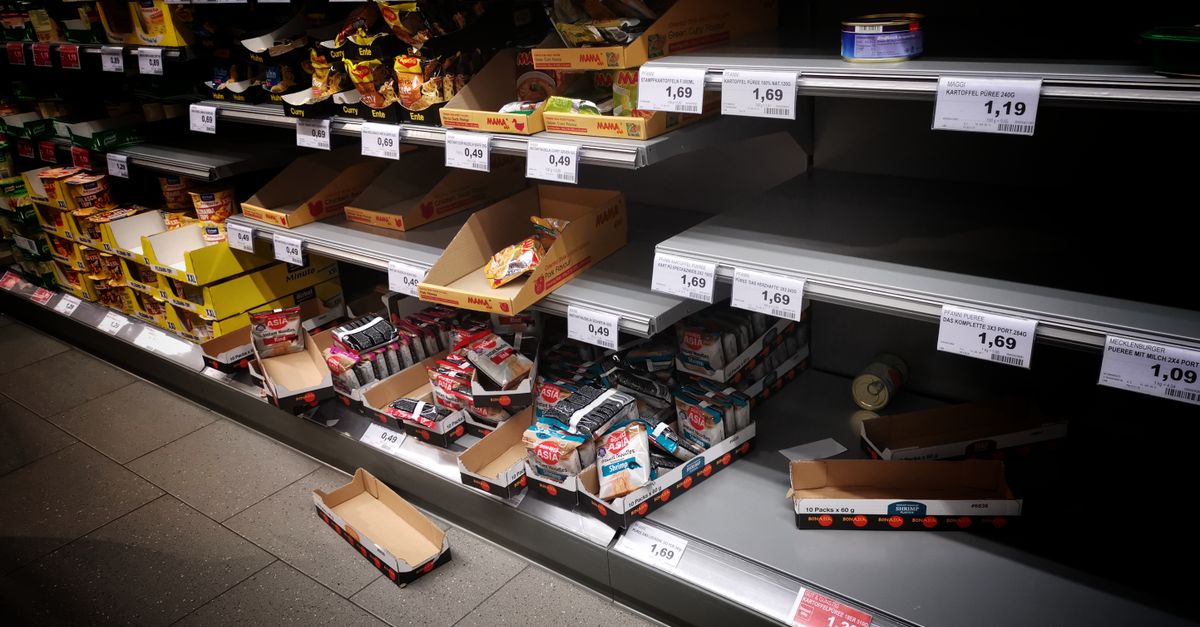
Accurate EDI 846 inventory updates are essential for drop-ship programs to prevent orders for unavailable stock, protect retailer trust, and eliminate avoidable cancellations and chargebacks. Streamlined, exception-proof workflows connect the warehouse, order management, and retailer systems, allowing real-time suppression of out-of-stock items and timely reactivation when new inventory is available.
Why accurate EDI 846 inventory updates are critical for drop-ship success
In drop-ship programs, retailers rely on suppliers and 3PLs to provide timely, precise inventory data. The EDI 846 Inventory Inquiry/Advice transaction enables real-time synchronization between the warehouse and retailer e-commerce sites. Without frequent, accurate updates, products may be listed as available when they are not, causing oversells, poor customer experiences, compliance risks, and costly cancellations.
Proactive inventory feeds allow retailers to prevent customers from ordering items that cannot be fulfilled, while ensuring that back-in-stock items are quickly made available for sale. As drop-ship volumes increase and promotional cycles shorten, inventory accuracy has become a foundational requirement for efficient supply chain orchestration and high trading partner scores. According to practical experience shared by Octasyn, brands that fail to refresh their EDI 846 feeds multiple times per day face higher oversell rates and more frequent retailer escalations.
The EDI 846 Inventory Inquiry/Advice transaction communicates available, on-hand, allocated, held, damaged, and replenishment inventory data by SKU and location, enabling trading partners to make accurate sourcing and order acceptance decisions in real time.
How stale or incomplete inventory feeds create preventable order failures
Out-of-date or incomplete 846 updates expose retailers to multiple avoidable issues. For example, if the 846 states that a popular SKU is available, but the warehouse has already allocated those units to other orders, a new customer order will either be delayed or cancelled. That escalates customer support tickets, creates operational fire drills, increases chargebacks, and damages ongoing retailer relationships.
- Oversold products remain purchasable after inventory is depleted.
- Manual order review and cancellation by EDI or warehouse coordinators.
- Reputational harm with key retailer partners due to fulfillment misses.
- Retailers may reduce exposure or pause listings for unreliable suppliers.
- Greater compliance penalties and financial loss caused by chargebacks.
What inventory data should be included in an EDI 846 for drop-ship programs?
Every retailer integration will specify unique mapping requirements, but several data elements are industry-standard for drop-ship programs. Octasyn's approach to 846 data mapping ensures suppliers provide not just on-hand totals, but actionable, sellable inventory by location, status, and timing for each SKU.
| Data Element | Why It Matters | Octasyn Approach |
|---|---|---|
| SKU, UPC, GTIN | Unambiguously identifies the sellable product | Cross-references item numbers between ERP, WMS, and retailer feeds |
| Available Quantity | True sellable inventory, excluding allocations/holds | Derives from business rules, not just warehouse scans |
| On-Hand Quantity | Physical units present, not all sellable | Maintains location-level visibility, supports multi-warehouse |
| Allocated/Committed | Prevents double-selling stock due to open orders | Aggregates orders across all open sales channels |
| Location Identifier | Supports distributed fulfillment and 3PL drop-ship | Enables retailer routing by warehouse, DC, or region |
| As-of Date/Time | Proves freshness and source of inventory snapshot | Stores transmission and source system timestamp for troubleshooting |
| Estimated Replenishment | Allows accurate backorder management | Pulls from ERP or purchasing module when available |
Operational formula for available-to-promise inventory
To ensure that EDI 846 feeds only report stock that can actually be fulfilled, the available-to-promise formula is key. Octasyn recommends this method as the industry baseline:
Available-to-promise = On-hand quantity - Allocated orders - Holds - Safety stock - Damaged or expired
This calculation should adapt to your operating reality. Some businesses also include inventory in transit, approved substitutes, or inventory assigned to planned promotions. Consistency and clarity—using the same documented rule for every update—protect both supplier reputation and retailer trust.
How to use safety stock buffers in drop-ship EDI feeds
A modest safety stock buffer can reduce overselling caused by feed timing delays or inaccurate warehouse records. Rather than applying a blanket percentage, Octasyn users typically set SKU-specific safety stock based on fulfillment velocity, forecast error rates, and partner risk tolerance. Weekly review during promotions or seasonal spikes is advised for fast-moving items.
How to choose the right update frequency
Update frequency should reflect SKU risk, order velocity, system integration, and contractual requirements. Low-volume wholesale SKUs might work with daily updates, while fast-moving e-commerce items often require automation every two to four hours. Many retailers specify required 846 feed intervals in compliance documentation.
- 01Quantify order velocity Review SKU-level sales and returns trends for the last 30 days to find the minimum update interval for high-risk items.
- 02Align with inventory change frequency Track every time receipts, picks, or adjustments modify available quantity.
- 03Apply the strictest schedule Follow the shortest retailer, EDI partner, or 3PL update requirement.
- 04Automate event-based updates Push feed immediately when a SKU nears zero, falls below threshold, or after receipts.
- 05Monitor and tune Review real-world oversell and cancellation rates to iteratively adjust intervals.
An hourly 846 feed cannot improve accuracy if source inventory is only refreshed nightly. Always match the transmission schedule with your most current inventory source.
A step-by-step exception-safe EDI 846 workflow
Robust EDI inventory automation involves more than a scheduled export. Octasyn's recommended workflow ensures that only clean, current, actionable data is transmitted, with exception monitoring for continuous improvement:
- 01Gather inventory from ERP/WMS/3PL Pull current inventory including source timestamp, SKU, and warehouse.
- 02Normalize identifiers Map internal and partner SKUs, UPCs, and GTINs. Block unmapped or ambiguous products before transmission.
- 03Apply availability and buffer rules Remove allocated, held, or reserved units, and subtract safety stock from sellable.
- 04Validate every segment Reject missing timestamps, negative or unexpected values, and incomplete locations.
- 05Generate retailer-specific 846 Use proper EDI envelope, qualifiers, units, and partner requirements.
- 06Monitor for exceptions Track delivery, functional ack, application-level acceptance, and log rejections to assigned queue.
- 07Protect against stale data Overwrite only if inventory snapshot is newer and source timestamp matches expected schedule.
Connecting EDI 846 to the full drop-ship lifecycle
Inventory updates represent the first signal in a tightly coupled, automation-driven drop-ship flow. Each subsequent EDI transaction depends on the accuracy and timing of the 846.
Broadcasts available quantity and location before orders are accepted.
Communicates order creation based on available inventory.
Confirms acceptance, change, or rejection of new orders.
Sends advance ship notice (ASN) with packed carton and shipment detail.
Issues billing and invoice data following successful fulfillment.
Creates all required labels, packlists, and BOLs for compliant routing.
For a deeper look at how ASNs and order labels tie into this flow, see Split Shipments in Drop-Ship EDI: Keeping Tracking, ASNs, and Invoices Aligned.
Best practices to prevent EDI 846 errors and oversells
- Do not report on-hand as available. Always calculate sellable inventory using business rules and allocation data.
- Use warehouse/location identifiers explicitly. Routing depends on knowing which stock can be picked and shipped from which site.
- Send a precise as-of timestamp with every transaction. Enables fast troubleshooting and assurance of data freshness for partners.
- Customize maps for each retailer. Apply different units, qualifiers, and schedule as required.
- Monitor transaction success beyond file transmission. Confirm both EDI and business-level acceptance through functional acks and order logs.
- Route negative or missing data to clear exception queues. Engage business users for rapid resolution of data failures.
- Never overwrite new data with stale information. Sequentially compare timestamps and control numbers for integrity.
- Regularly audit the process and measure against operational KPIs. Use pick exceptions, oversell events, and cancellations as real-world accuracy signals.
Measuring the impact: Are your inventory updates really preventing oversells?
- 846 timeliness: % of updates transmitted within required window
- 846 acceptance rate: % of line items accepted by all partners
- Inventory accuracy: % agreement between reported and warehouse-verified quantities
- Oversell rate: Number of orders received for unavailable stock
- Cancellation rate: % of orders cancelled due to outdated or missing data
- Pick exception rate: % of warehouse picks not matched to available inventory
- Time to recovery: Median time from detection of a failed or late feed to resolution
To measure improvement, establish a baseline for each of these signals before adjusting feed frequency, business rules, or automation. Use these metrics to validate whether investment in EDI workflow has translated into concrete operational gains.
How Octasyn enables best-in-class EDI inventory workflows
Octasyn’s solution connects ERP, warehouse, and 3PL inventory sources, applies cross-functional business rules, and translates data to partner-specific EDI 846 formats. Warehouse teams can print UCC-128 or GS1 labels, generate ASNs, and comply with all documentation requirements from a single platform—reducing manual work and inventory errors for every order. Octasyn supports both cloud and on-prem deployment, offering flexibility for IT and operations leaders focused on data security or system control.
Razor USA leverages Octasyn to automate drop-ship fulfillment, processing over 10,000 orders daily with reliable, up-to-date inventory workflows across all major retail and e-commerce channels.
10,000+ daily ordersNakoma Products uses Octasyn to coordinate EDI and inventory across 120,000+ retail destinations for brands like Rit Dyes, Preval, and Endust, improving speed and scale with robust exception handling and workflow automation.
120,000+ retail locationsEDI 846 implementation checklist
- Document every trading partner’s guide. Capture requirements for version, SKUs, frequency, and units.
- Define your available inventory rule. Get buy-in across IT, warehouse, and customer service.
- Confirm inventory data source and timing. Know if WMS, ERP, or 3PL holds the authoritative record.
- Map and test all active items. Include vendor SKU, UPC, GTIN, and unit conversion logic.
- Set and audit feed schedules. Match retailer rules to real-world sales patterns for top SKUs.
- Test zero and low-stock routines. Ensure retailer website suppresses or flags unavailable SKUs.
- Simulate out-of-sequence and delayed updates. Validate that new records always supersede older inventory data.
- Assign ownership of monitoring and exception response. Set clear escalation paths for failed or rejected transactions.
- Review performance monthly. Track KPIs such as oversells, cancellations, compliance score, and feed acceptance rate.
Frequently asked questions
What is an EDI 846?
The EDI 846 is an inventory inquiry/advice transaction, used to transmit real-time product quantity, location, and status information between trading partners for inventory transparency and automated fulfillment.
Does an EDI 846 reserve inventory for the retailer?
No. The 846 only signals current availability based on live inventory. Actual reservation happens when the retailer’s EDI 850 (purchase order) is accepted by the supplier or 3PL and confirmed by EDI 855 or other fulfillment workflow.
How frequently should the 846 be sent in drop-ship programs?
Feed frequency depends on order velocity, retailer SLAs, and operational risk. Daily for low-volume, 2–4 hours for active SKUs, or even every hour during promotions. Many brands also use event-based pushes when inventory changes abruptly.
Can the same EDI 846 file be used for all retailers?
No. Each retailer may require specific mapping, units of measure, scheduling, partner numbers, and data segments. Automating partner-specific feeds is a core requirement to prevent downstream fulfillment errors.
How can a WMS or ERP improve 846 accuracy?
A WMS or ERP provides validated, real-time data for available and on-hand inventory. Integrated platforms like Octasyn apply business rules and automate mapping, further reducing the risk of stale or inaccurate information reaching the retailer.
What are the main causes of oversells even with scheduled feeds?
Root causes include insufficient feed frequency, reporting on-hand instead of available-to-promise, missing or incorrect buffer setup, and technical workflow failures that prevent feed delivery or override fresh data with old.
Connect your EDI inventory, warehouse, and retailer data flows securely with Octasyn to eliminate overselling, speed up fulfillment, and protect your retailer partnerships. Talk to a shipping expert about customizing your drop-ship inventory and order workflows.
Talk to a shipping expert







.png)


